


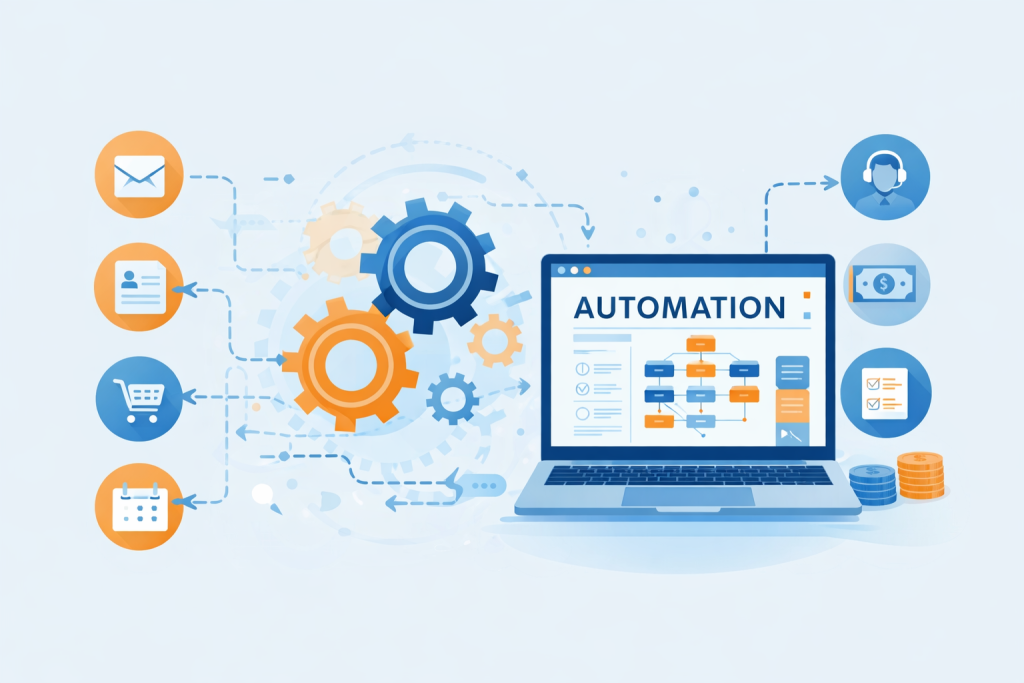

Running a business today is not just about working hard—it’s about working smart. In a world driven by speed, efficiency, and scalability, automation has become the secret weapon behind successful companies.
From startups to large enterprises, businesses are leveraging automation to reduce manual work, eliminate errors, and focus on what truly matters—growth.
If you’re still relying on spreadsheets, manual follow-ups, or repetitive tasks, this guide will completely change how you operate.
Let’s dive into a step-by-step guide to automating your business operations—written in a practical, human-friendly way you can actually apply.
🚀 What is Business Automation?
Business automation is the use of technology to perform repetitive tasks or processes without human intervention.
Instead of:
- Manually sending emails
- Tracking leads in Excel
- Following up with customers
- Generating reports
Automation tools can do all of this for you—24/7, without mistakes.
👉 The result? More productivity, lower costs, and faster growth.
🔥 Why Automation is a Game-Changer
Before we jump into steps, let’s understand why automation is no longer optional:
✅ Saves Time
Repetitive tasks that take hours can be done in seconds.
✅ Reduces Human Errors
Automation ensures consistency and accuracy.
✅ Improves Customer Experience
Instant responses, faster service, better engagement.
✅ Scales Your Business
Handle 10x more work without increasing your team.
✅ Boosts Revenue
Faster processes = more conversions.
🧠 Step 1: Identify Repetitive Tasks
Start by auditing your daily operations.
Ask yourself:
- What tasks do I repeat every day?
- Where do I spend most of my time?
- Which processes are manual but predictable?
Common areas to automate:
- Email marketing
- Lead management
- Customer support
- Billing & invoicing
- Social media posting
- HR onboarding
👉 Golden Rule: If a task is repetitive, it can be automated.
🗺️ Step 2: Map Your Business Processes
Before automating, you must understand your workflow.
Create a simple flow like this:
Example: Lead Generation Process
- User fills form
- Data goes to CRM
- Welcome email sent
- Sales team notified
- Follow-up scheduled
This clarity helps you automate the right way.
🛠️ Step 3: Choose the Right Automation Tools
You don’t need expensive software—you need the right tools.
Here are some popular categories:
📧 Marketing Automation
- Email campaigns
- Lead nurturing
- Drip sequences
🤝 CRM Automation
- Track leads
- Auto follow-ups
- Deal management
💬 Customer Support Automation
- Chatbots
- Ticket systems
- Auto replies
🔗 Workflow Automation
- Connect different apps
- Trigger actions automatically
👉 Choose tools that integrate easily with each other.
⚙️ Step 4: Start with Simple Automations
Don’t try to automate everything at once.
Start small.
Example Automations:
- Auto-reply to customer inquiries
- Welcome email after signup
- Invoice generation after purchase
- Reminder messages for appointments
👉 Small wins build confidence and momentum.
🔄 Step 5: Create Workflows & Triggers
Automation works on “If This → Then That” logic
Example:
- IF a user signs up → THEN send welcome email
- IF payment received → THEN generate invoice
- IF lead inactive → THEN send follow-up email
These triggers create a seamless experience without manual effort.
📊 Step 6: Integrate Your Tools
Your tools should talk to each other.
For example:
- Website form → CRM → Email tool → Notification system
When systems are connected:
- No data loss
- No manual entry
- Faster execution
👉 This is where real automation power comes in.
🤖 Step 7: Use AI for Smart Automation
Automation is no longer just rule-based—it’s intelligent.
AI can:
- Predict customer behavior
- Personalize emails
- Recommend products
- Analyze data
👉 This takes your automation from basic to advanced.
📈 Step 8: Monitor & Optimize
Automation is not “set and forget.”
Track:
- Conversion rates
- Response times
- Customer engagement
- Workflow performance
Improve by:
- Adjusting triggers
- Updating content
- Removing bottlenecks
👉 Continuous improvement = better results.
🧩 Step 9: Automate Across Departments
Don’t limit automation to marketing.
Expand to:
- Sales: Lead scoring, pipeline tracking
- Finance: Billing, payroll, expense tracking
- HR: Recruitment, onboarding
- Operations: Inventory, logistics
👉 A fully automated business is highly efficient and scalable.
⚠️ Common Mistakes to Avoid
Even though automation is powerful, many businesses go wrong here:
❌ Over-Automating
Too much automation can feel robotic.
❌ Ignoring Human Touch
Balance automation with personalization.
❌ Choosing Complex Tools
Keep it simple and scalable.
❌ Not Training Your Team
Your team must understand the system.
🌟 Real-Life Example
Imagine running an online service business:
Without automation:
- You manually reply to every inquiry
- Track leads in Excel
- Forget follow-ups
- Miss potential sales
With automation:
- Leads captured automatically
- Instant response sent
- Follow-ups scheduled
- Sales pipeline updated
👉 Result: More conversions, less stress.
🔮 Future of Business Automation
Automation in 2026 and beyond will focus on:
- Hyper-personalization
- Voice & conversational automation
- AI decision-making
- Fully autonomous workflows
👉 Businesses that adopt early will dominate their market.
💡 Final Thoughts
Automation is not about replacing humans—it’s about empowering them.
When you remove repetitive tasks:
- You gain time
- You reduce stress
- You focus on growth
🚀 Your Action Plan
Start today with these simple steps:
- Identify 3 repetitive tasks
- Choose one tool
- Automate one workflow
- Test and improve
👉 That’s it. Don’t overthink—just start.
✨ Conclusion
Business automation is no longer a luxury—it’s a necessity.
In a competitive world, the businesses that win are the ones that:
- Move faster
- Work smarter
- Adapt quickly
And automation is the foundation of all three.